
How to Spot a Scam Text Message: 5 Warning Signs Every Senior Should Know
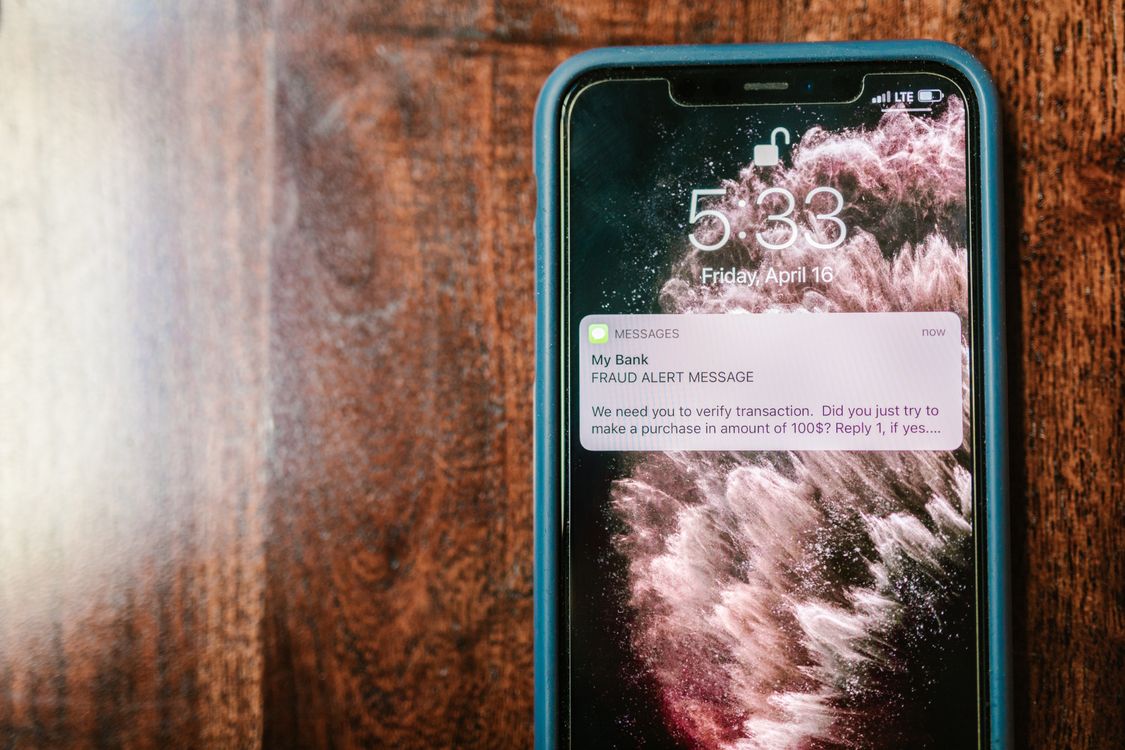
Your phone buzzes. The message says a package is waiting, your bank account will be locked, or Medicare needs you to confirm your information today. It looks official. It feels urgent. And it is probably a scam.
Scam text messages, also called “smishing,” are one of the most common ways criminals target older adults. They send millions of fake messages every day, hoping a few people will tap a link or send money. If you have received one, it is not your fault. Getting the message does not mean you did anything wrong. It only means your phone number was on a list. What matters is what you do next.
5 Warning Signs of a Scam Text Message
Most scam texts share the same tricks. Learn these five warning signs, and you will be able to spot most of them in seconds.
1. An Unknown Sender or a Strange Number
A real bank, delivery company, or government office does not usually text you from a random personal phone number or an email address. Be suspicious if the sender is a number you do not recognize or a short code you never signed up for. A familiar-looking name can also be faked.
2. Urgency or a Threat
“Your account will be locked today.” “Pay now or face a fine.” Scammers want you to feel afraid and act before you think. That rush is the trick. Real companies give you time, and they do not threaten to close your account in a single text message. If a message makes your heart beat faster, slow down.
3. A Link That Looks Almost Real
Many scam texts include a link to a fake website that looks just like the real one. Look closely: a small change can be the clue, such as amaz0n with a zero instead of the letter “o,” or an extra word such as usps-track-package.com. A real company will not ask you to pay a fee or update your account by tapping a link in a text message. If you are not expecting a package, do not tap the delivery link.
4. A Request for a Code, a Gift Card, or Money
Never share a verification code that was sent to your phone. A real company will never ask you to read that code back to them. If a message asks you to buy gift cards and send the numbers on the back, or to move money to a “safe account,” it is a scam. No real bank or government office will ever ask you to pay with gift cards, a wire transfer, or cryptocurrency.
5. A “Wrong Number” That Turns Friendly
Some scams do not start with a link at all. They start with a simple mistake: “Sorry, wrong number!” or “Hi, is this Mary?” If you reply, the stranger becomes friendly, chats a while, and earns your trust. Then comes the real goal: an investment tip, a crypto opportunity, or a request for help with money. A friendly stranger who soon talks about money is not a new friend. Stop replying, and block the number.
What to Do Instead
When a message looks suspicious, do nothing inside the message. Do not tap the link, do not reply, and do not call the number in the text. Instead, check the claim another way. Open the company’s official app, or type the company’s real web address into your browser yourself. If the message claims to be from your bank, call the number printed on the back of your bank card. If there is no problem there, delete the text.
If You Already Tapped a Link
Do not panic. Many people tap a bad link. First, do not enter any more information on that website, and close it. If you entered a password, change it from a clean device you trust. If you shared card or bank details, call your bank right away and ask them to freeze or replace the card. Then report the message. Forward the scam text to 7726, which spells SPAM, and report it at reportfraud.ftc.gov.
How to Block a Number and Filter Messages
Blocking a scam number takes less than a minute. If the words on your screen are hard to read while you do this, first follow our step-by-step guide, How to Make Text Bigger on Your Phone, and then come back here.
On an iPhone
Open the message, tap the sender’s name or number at the top, tap “Info,” then tap “Block this Caller” and confirm. To filter unknown senders, go to Settings, then Messages, then turn on “Filter Unknown Senders.” Messages from people who are not in your contacts will move to a separate list.
On an Android Phone
Open the message, tap the three dots in the upper-right corner, then tap “Block” and confirm. To turn on spam protection, open the Messages app, tap your profile picture or the three dots, tap “Settings,” then “Spam protection,” and turn on “Enable spam protection.” The wording can vary a little by model, but the steps are very similar.
Your Quick Checklist
Before you tap, reply, or pay, ask: Do I know this sender? Is the message rushing or threatening me? Does the link look slightly wrong? Is it asking for a code, a gift card, or money? Did a “wrong number” turn into a money talk? If the answer to any of these is yes, stop. Delete the message, block the number, and check the claim through the official app or the number on the back of your card.
Discover more from 컴퓨터와 친구들
Subscribe to get the latest posts sent to your email.